What Is the Model Context Protocol? A Plain-English Guide
Abhay Khant
Jan 1, 1970 • 9 min read
If your AI assistant could reach straight into your files, your database, and your company's Slack, it would stop guessing and start doing. That is the promise of the Model Context Protocol (MCP), an open standard that lets AI applications connect to the systems where your data actually lives. Anthropic released it on November 25, 2024, and within a year the protocol had been picked up by OpenAI, editor makers like VS Code and Cursor, and a growing list of AI clients Anthropic's announcement. For developers, it means building an integration once instead of rewiring it for every model and every app — the kind of repetition that quietly eats a roadmap.
What Is the Model Context Protocol?
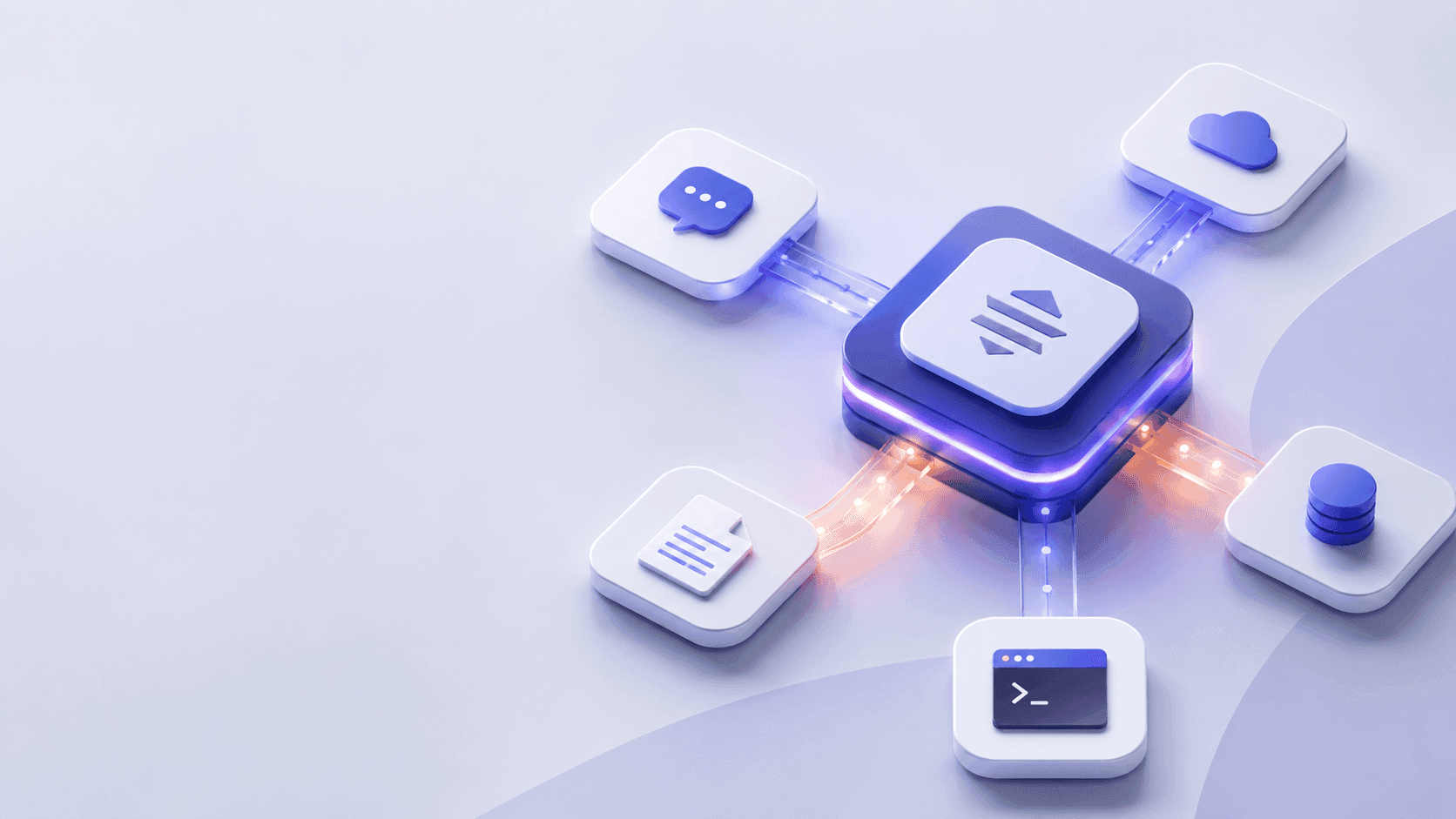
The Model Context Protocol is an open-source standard for connecting AI applications to external systems the MCP introduction. Think of it as a USB-C port for AI: just as one cable shape connects phones, drives, and displays, MCP gives any compliant AI app a single way to talk to tools, data sources, and workflows the MCP introduction. Instead of writing a bespoke connector for each combination of model and service, you build one MCP server and any MCP-aware client can use it.
Anthropic built MCP to end what it called "fragmented integrations" — the old pattern where every AI feature needed a custom bridge to every backend Anthropic's announcement. MCP replaces that sprawl with one protocol, so an assistant can pull from a content repository, a business tool, or a development environment through the same mechanism. The point is not a new feature; it is a common language that stops every team from reinventing the same plumbing. Before MCP, connecting a model to a new system meant a fresh integration project each time. After it, that work becomes a reusable server.
Why MCP Is Trending Now
The timing explains the buzz. When Anthropic open-sourced MCP in late 2024, it shipped reference servers for Google Drive, Slack, GitHub, Git, Postgres, and Puppeteer, and named early adopters including Block, Apollo, Zed, Replit, Codeium, and Sourcegraph Anthropic's announcement. Those companies were not experimenting for fun; they wanted AI agents that could retrieve relevant information to understand the context around a coding task.
Then the network effect kicked in. During 2025, the protocol moved from Anthropic-only to industry-wide: OpenAI added native MCP support to its developer platform OpenAI's developer docs, and editor makers shipped first-class integrations — VS Code documents its MCP server setup VS Code's MCP guide, and Cursor does the same Cursor's documentation. The MCP site now lists Claude, ChatGPT, VS Code, and Cursor as supporting clients, which is what makes "build once, integrate everywhere" real rather than a slogan the MCP introduction. When the biggest model providers and the most-used coding tools agree on one wire format, builders stop hesitating.
The payoff shows up in concrete use cases the protocol was designed to enable the MCP introduction. An agent can read your Google Calendar and Notion to act as a personalized assistant. A coding tool can pull a Figma design and generate a working web app from it. An enterprise chatbot can connect to several internal databases so people analyze data by chatting. None of these required a custom pipeline once an MCP server existed for the underlying system.
How MCP Works: Host, Client, and Server
MCP follows a client-server design with three roles the MCP architecture docs:
- Host — the AI application itself, such as Claude Code or Claude Desktop. The host coordinates everything and decides when to call a tool.
- Client — one lightweight connector the host spins up for each server it connects to.
- Server — a program that actually provides the context: files, query results, or actions.
For a concrete example, take VS Code as the host. When it connects to a Sentry MCP server for error tracking, it instantiates one client to hold that connection; connect a second server, such as a local filesystem server, and it spins up another client the MCP architecture docs. Each client is isolated, so a failure or a slow response in one server does not block the others.
The host opens a dedicated client connection to every server. A local server, say a filesystem server, talks over Stdio, using standard input and output on the same machine for speed and zero network overhead. A remote server, such as a hosted connector, talks over Streamable HTTP, which can serve many clients and supports normal HTTP auth including bearer tokens and API keys the MCP architecture docs. Both ride on a JSON-RPC 2.0 message format, so the wire protocol stays identical no matter how the bytes travel JSON-RPC 2.0.
Before any tool runs, the two sides perform a handshake: the client sends initialize, the server replies with its protocol version and capabilities, and only then does the client announce it is ready. A server that gains a new tool can also push a tools/list_changed notification, so the client refreshes its view without polling.
A Quick Look at the Protocol
The messages are plain JSON-RPC. After the handshake, the client discovers what is available:
{ "jsonrpc": "2.0", "id": 2, "method": "tools/list" }
The server answers with metadata, including a JSON Schema for each tool's inputs. When the model decides to act, the client issues a call:
{ "jsonrpc": "2.0", "id": 3, "method": "tools/call", "params": { "name": "weather_current", "arguments": { "location": "San Francisco" } } }
The server returns a structured content array the host feeds back to the model. None of this is exotic — it is request, response, and notification, with schemas doing the heavy lifting. The value is that every compliant client speaks this shape, so a server author writes it once and reaches every compatible host.
MCP vs. an API or Function Calling
This is the question almost everyone asks first, so it is worth separating the layers.
A normal API is a fixed contract between two systems: your code calls an endpoint, gets a response, done. Function calling is a model feature — the LLM emits a structured argument block that your code then executes against some backend. Both are point-to-point: you wire each one by hand, and the wiring lives inside a specific product.
MCP sits one level up. It is a standardized wiring layer that describes, to any compliant client, what a server can do, and lets the client discover those abilities at runtime. The practical difference: with function calling you rebind tools for every app; with MCP you register a server once and Claude, ChatGPT, and VS Code can all see and use it the MCP introductionOpenAI's developer docs. You still write the underlying logic, but discovery and transport are handled by the protocol.
A useful rule of thumb: if only one model in one product will ever call your service, a direct API is simpler. The moment you want several AI apps to reach the same capability, MCP earns its place. It trades a little upfront structure for not repeating yourself across every integration, and it keeps the model-agnostic boundary clean.
MCP Servers: Tools, Resources, and Prompts
Servers expose three core primitives the MCP architecture docs:
- Tools — functions the AI can invoke, like running a database query or calling an external API. Each advertises an input schema so the model knows what to pass.
- Resources — read-only context such as a file's contents, a database schema, or a fetched API response.
- Prompts — reusable templates that structure a common interaction, such as a system prompt or a few-shot example.
There are also client-side primitives. Sampling lets a server ask the host's model for a completion without bundling its own LLM, which keeps servers model-independent. Elicitation lets a server request more input or confirmation from the user mid-task, and Logging streams debug messages back to the client. The reference server collection on GitHub shows these patterns in working code, from simple calculators to live data connectors reference servers on GitHub.
Security and Risks of MCP
A common misconception is that "it's a standard, so it's safe." MCP standardizes the pipe, not the payload. A server you connect to can read what you let it reach and can trigger actions on your behalf, so a compromised or malicious server is a real threat. Picture a third-party server that quietly exfiltrates every file it is granted access to, or one that executes destructive commands when called — the protocol will happily carry those requests.
Two controls matter. First, prefer local Stdio servers you control for sensitive data; remote servers widen the blast radius because they run outside your machine. Second, remote connections should use OAuth 2.0 for authentication and run over TLS, because the Streamable HTTP transport carries bearer tokens and API keys in every request. The spec also recommends OAuth for obtaining tokens rather than passing long-lived secrets directly the specification. Treat a third-party MCP server like any dependency you grant production access: review it, scope it to the minimum, and watch what it touches.
How to Build Your First MCP Server
You do not need to be a protocol expert to ship something useful. A minimal path:
- Pick one capability — a single task, like looking up rows in a database or reading a config file. Small scope keeps the first server honest.
- Choose an SDK — MCP publishes official SDKs in several languages; the spec walks through building a server step by step the specification.
- Define your primitives — expose a
Toolwith a clearinputSchema, or aResourcefor data the model should read. - Run it locally over Stdio — launch it from your host, such as Claude Desktop or VS Code, and confirm the handshake completes VS Code's MCP guide.
- Test with the Inspector — the MCP Inspector is a debugging UI for watching
initialize,list, andcallmessages the MCP Inspector. - Tighten auth before going remote — if you expose it over HTTP, add OAuth and TLS, and scope permissions to the minimum.
Once it runs, the same server works across every MCP-aware client — no per-app rewiring. Start local, prove the value, then open it up only as far as you trust.
Related Tools & Further Reading
- What Is OpenCode? — OpenCode is an AI coding agent, and MCP is exactly how agents reach your files, databases, and APIs.
- OAuth 2.0 Playground — remote MCP servers use OAuth for authentication; this ToolSura demo shows the flow end to end.
- JSON Formatter & Validator — MCP rides on JSON-RPC 2.0, so this formatter helps you read and debug the payloads.
- SSL Checker — before exposing a remote MCP server, confirm your TLS is solid.